A soinari is a Georgian panpipe. Six pipes of different lengths, cut from grass and bound side by side with wild cherry bark, played in Guria, in the west of the country, for centuries. There is a photograph of one in the December 2025 issue of the Polyphony Bulletin, the last one made by the last man who played in the old tradition. If you read the bulletin with a screen reader, the photograph is described to you as "A group of white sticks in a plastic wrap."
The man himself, Varden Meparishvili, photographed with the instrument at his lips, is "A person holding a bunch of cigarettes."
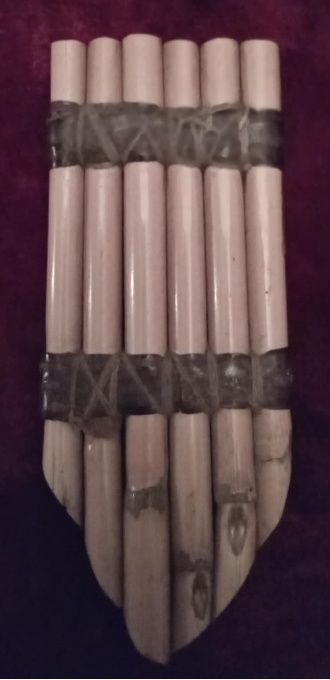
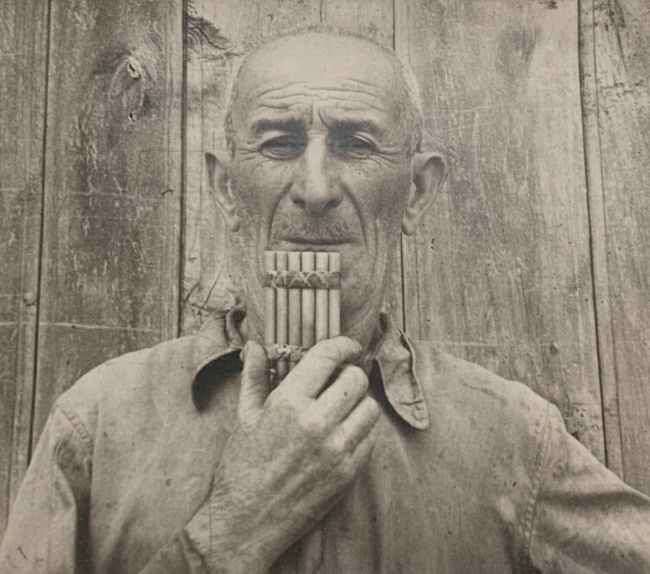
Elsewhere in the bulletin a book cover is "A blue and white book cover." A page of engraved music is "A white paper with black text." Every one of the twenty-one descriptions in the document ends with the same sentence: "AI-generated content may be incorrect." The warning went, word for word, to the bulletin's readers who had no way to check it.
It passed
Here is the odd part. This PDF is accessible, by the measures that measure it.
It is tagged. Twenty-one of its twenty-six pictures have a description. On a compliance spreadsheet this document is in good shape, and the software that made it would have said so.
What the software (probably) did
The bulletin comes out twice a year from the International Research Centre for Traditional Polyphony at the Tbilisi State Conservatoire. It is a serious publication: scholarship on Georgian traditional music, written in Georgian and translated into English for readers around the world. The editors' job is the music and the words, and they do it well.
The document itself was made in Word, the way almost every document is. Word tagged it on the way out. A vision model looked at the photographs and wrote the descriptions. Acrobat packaged the result. None of this is visible on the page. Nothing in the process paused to ask anyone what a picture was of, or which lines were titles, because the software had already supplied an answer. These tools are familiar to many people and many organisations ship this kind of file.
I rebuilt the bulletin as an EPUB. Here is what changed for a reader who cannot use the page as printed.
Two headings in forty-one pages
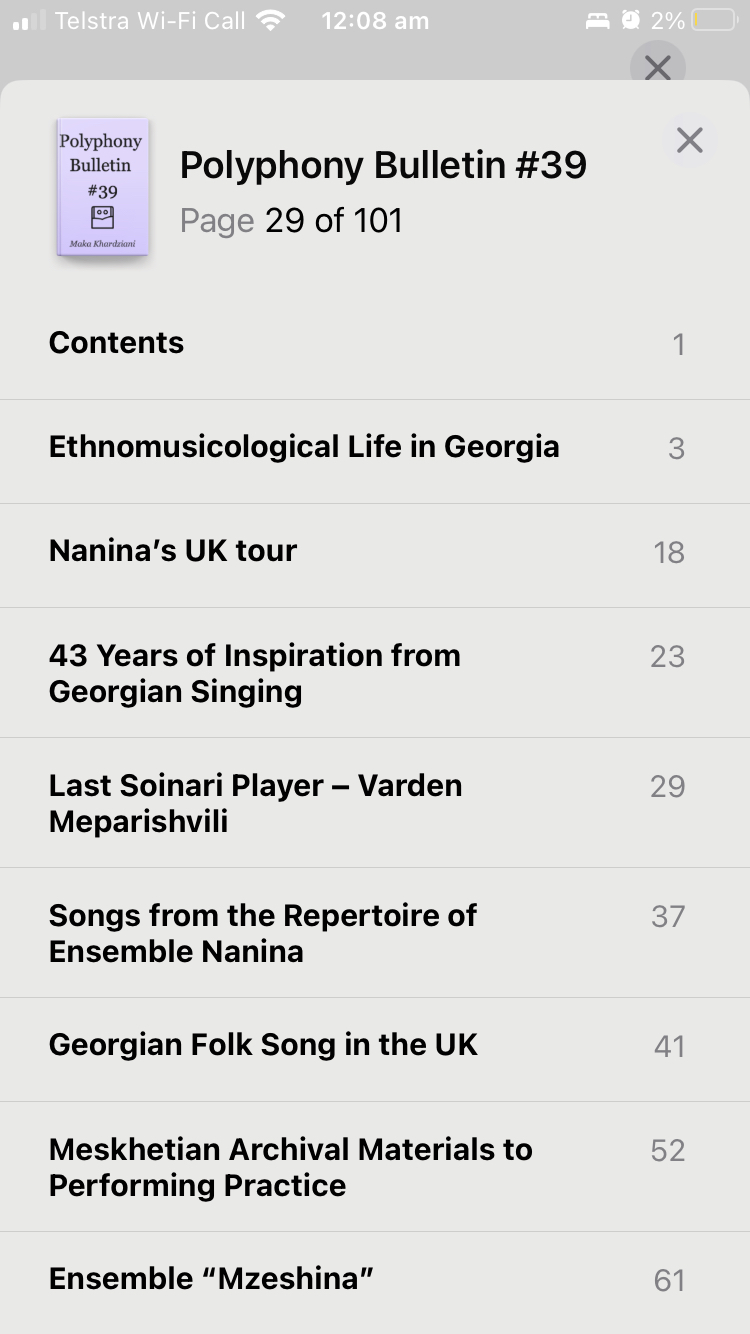
The PDF has two headings in the whole issue. Everything else that looks like a title is, underneath, an ordinary paragraph in a larger font, which is what a word processor gives you unless you happen to use its heading styles. Nothing on the page shows the difference. A screen reader hears nothing else.
You do not need a screen reader to see it. Open the PDF in Preview on a Mac and show the table of contents.
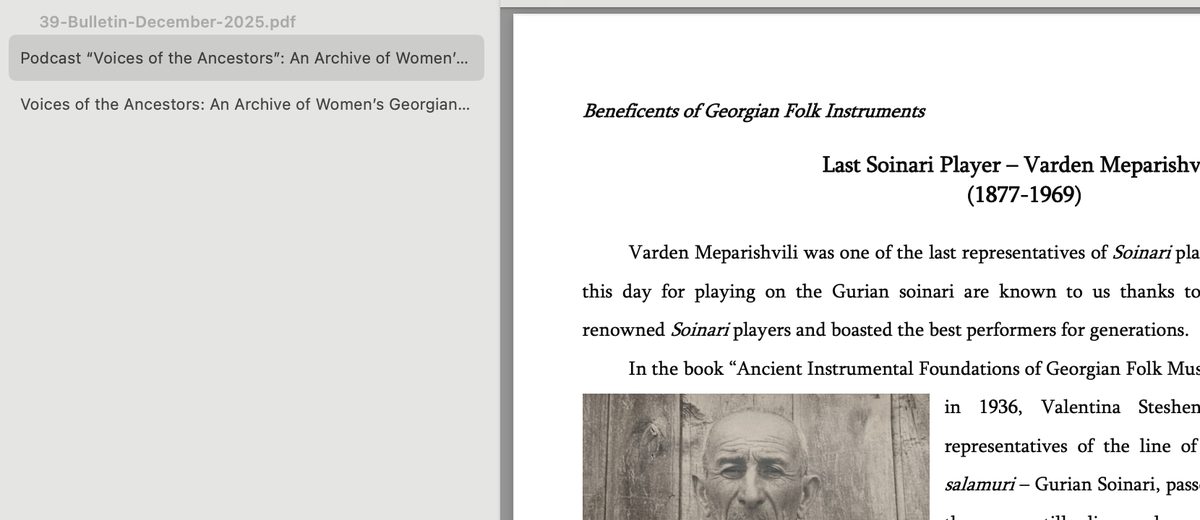
In the EPUB every article and every section inside it is a heading. A reader can hear the contents, pick an article, and skip the ones they have already read. It is the difference between a document you can navigate and one you have to listen to from the beginning.
The panpipe, described by someone who knows what it is
In the EPUB the instrument is "close-up photo of six bound pipes of varying lengths." Varden Meparishvili is "monochrome photo of a man holding a six-piped instrument to his lips." His certificate, which the PDF did not describe at all, is "water-stained certificate with stylized illustrations of musicians and dancers with Georgian script."
None of these is poetry, and none needs to be. Each one sits under a caption that names the thing, so the description only has to say what the picture shows. Nothing clever happened. Someone who knew what a soinari was from reading the article and seeing the photograph wrote a plain sentence, and the sentence went where the generated text had been.
The text that would not grow
Most people who struggle to read a page are not blind. They are over forty-five. Presbyopia, the ordinary stiffening of the eye's lens with age, affects more people than every other reading impairment combined, and its remedy is simple: make the text bigger.
A PDF is a picture of a printed page, and the picture does not know you made the text bigger.
What went wrong, and what didn't
This is not a story about PDF. A tagged PDF can be made accessible. It is not a story about the people who made the bulletin either. It is about what happens when accessibility is automated out of sight: every required field gets filled with something, the audit passes, and nobody is ever asked.
But being asked is the whole point. What is a heading? What is this picture of? Which language is this sentence in? These are small questions, and anyone who knows the material can answer every one of them in a second, if the tool puts the question in front of them and shows them the consequences. The next post is about how that becomes cheap to do while writing in the SEED.html app.